Do You Really Need the Internet to Translate? An Offline Translation Guide
For twenty years the answer was effectively yes. It stopped being true recently enough that most people have not noticed. Here is what genuinely works without a connection in 2026, what each option is actually good at, and how to check a tool's offline claim for yourself.
Translation became a cloud service by historical accident rather than necessity. The models were too large for consumer hardware, so they lived on servers, and everything else — the accounts, the quotas, the privacy policies, the character limits — followed from that one constraint. The constraint has now partly lifted. Not entirely, and not for every kind of translation, but far enough that "I need to be online to translate this" is no longer automatically true.
This guide covers the three things people mean by offline translation, what each is genuinely useful for, and how to tell whether a given tool actually works without a connection.
Why you might want this
The reasons split into four groups, and they lead to different answers:
- No connection available. Flights, trains through tunnels, remote fieldwork, ships, rural areas, foreign countries where you would rather not pay roaming rates. Here you need something that fits on a phone.
- The text cannot be sent anywhere. Confidential documents, client material under NDA, unpublished work, regulated personal data, or an employer policy forbidding external AI tools. Here you need real quality and the document is usually long.
- Limits and continuity. Character caps, daily quotas and account requirements can interrupt a long job. Local translation keeps the workflow on one machine.
- Durability. A tool on your own disk keeps working when a service changes its features, its terms, or shuts down. This matters more for long-term archives than people expect.
The three kinds of offline translation
1. Phone language packs
The major mobile translation apps let you download individual language pairs for offline use. This is the most widely available offline translation in the world and most people already have it installed.
Genuinely good at: short, practical text. Signs, menus, a sentence to a taxi driver, a paragraph of a webpage. It is in your pocket, it costs nothing, and it works in a tunnel.
Not built for: documents. Offline packs are meaningfully weaker than the same app's online mode — they are compressed hard to fit a phone — and the interface is designed around a text box, not a chapter. Anything requiring sustained context or consistent terminology is outside what these are for.
A caveat worth knowing: some features degrade to online-only silently. Camera translation and conversation modes often fall back to the network even when a pack is installed, so the thing you assumed was offline may not be. Test in aeroplane mode before you rely on it.
2. Dictionaries and terminology databases
Offline dictionary apps and downloadable glossaries are a different tool doing a different job, and they are underrated because people compare them to translators.
Genuinely good at: precision on individual terms. A good bilingual dictionary gives you register, usage examples, and the several possible renderings of an ambiguous word — the information a translation tool hides from you by picking one. If you are building the term list described in our manuscript workflow, this is what you use.
Not built for: reading. They do not translate running text and are not trying to.
3. Translation models on your own computer
This is the category that changed, and the one most people do not know exists.
Translation models used to require server hardware. Two developments changed that: models built specifically for translation rather than general conversation, which are far smaller for the same quality, and compression techniques that shrink a model to a fraction of its original size with modest quality loss. The result is that a capable translation model is now roughly 1 to 2 gigabytes — the size of a long film — and runs on an ordinary computer.
Genuinely good at: documents. Long text, no character limit, no quota, and nothing transmitted. Quality is close enough to cloud services that for comprehension, internal use, and first drafts most people would not reliably tell them apart.
Not good at: being on your phone, or being instant. There is a one-time download, and a long document takes real time — minutes for an article, hours for a book. It is a desk tool, not a pocket one.
Which one for which job
| Situation | Best option | Why |
|---|---|---|
| A menu or a sign abroad | Phone language pack | Instant, in your pocket, right length of text |
| Looking up one ambiguous term | Offline dictionary | Shows the options rather than picking one |
| A confidential contract | Desktop model | Nothing transmitted; handles length |
| An unpublished manuscript | Desktop model | No length cap; no third party involved |
| Research papers in another language | Desktop model | Long text without manual passage handling |
| Anything being published under your name | Human translator | No machine, local or cloud, is sufficient alone |
| A quick email you don't care about | Whatever is open | Not every job needs a considered answer |
What hardware do you actually need?
This is the question that stops people, usually because they assume the answer involves a graphics card. For translation specifically, it does not.
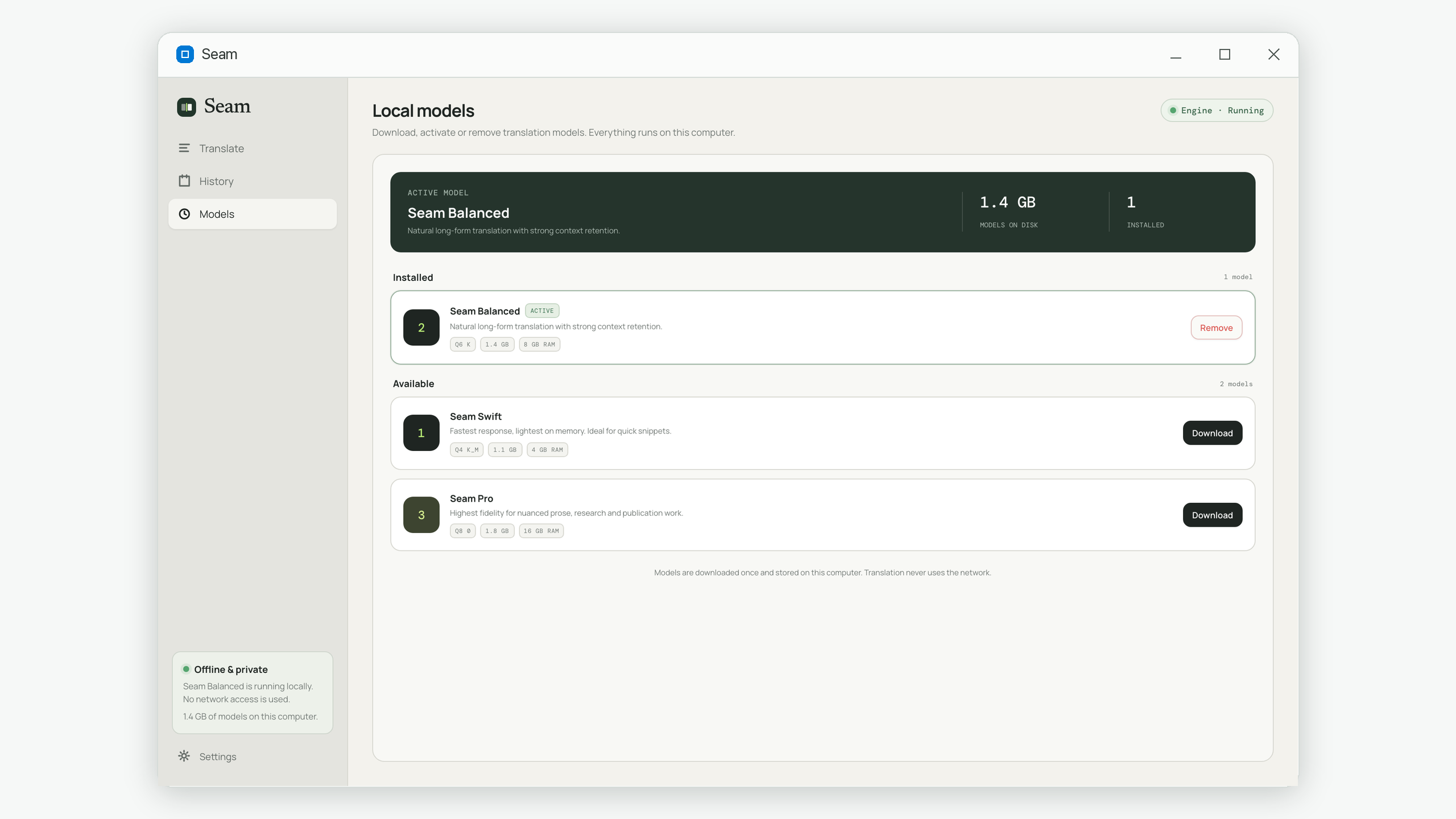
- Memory is the real requirement. The model has to fit in RAM while it runs. As a rough guide: about 4 GB of RAM for a smaller model, 8 GB for a mid-sized one, 16 GB for the largest. That is total system memory, and you need room for everything else you have open.
- Disk space equals the model size. One to two gigabytes per model. You can keep more than one and switch.
- A graphics card is optional. Translation models of this size run acceptably on a normal processor. A capable GPU makes it faster; its absence does not make it impossible, and it never affects quality.
- Age matters less than you think. A mainstream laptop from the last five or six years with enough memory handles this. The bottleneck is almost always RAM, not the processor's year of manufacture.
The honest expectation: a page of text in seconds to tens of seconds, an article in a few minutes, a book over several hours. Slower than a cloud service, because a cloud service is running on hardware that costs more than your car. Fast enough that starting a long job and doing something else is a perfectly reasonable workflow.
How to check whether something is genuinely offline
"Works offline" is a marketing claim before it is a technical one, and there are several ways for it to be only partly true — an offline model with an online fallback, an offline core with online extras, or an offline tool that still requires a periodic licence check. All of them are testable in about a minute, and you should test rather than assume.
- Install and complete first-time setup while connected. Almost everything needs the network once, to download. That is expected and not a red flag.
- Disconnect completely. Turn off Wi-Fi and unplug any cable. Aeroplane mode on a laptop is not always sufficient — check that the network icon really shows no connection.
- Translate something long enough to take a minute. A short string can be served from a cache; a long one cannot.
- Restart the application, still disconnected. This is the step that catches licence checks and start-up calls that only fire on launch.
- Leave it disconnected for a day and try again. Catches anything requiring periodic revalidation.
If it passes all five, the work is happening on your machine. That conclusion is something you verified rather than something you were told — which is the entire difference between a privacy policy and a privacy property.
A note on what offline does and does not guarantee
Offline means the text is not transmitted. It does not by itself mean the text is not stored — a local tool still keeps a history somewhere on your disk, and on a shared or work-managed computer that file is as readable as any other. If that matters, find out where the history lives and whether you can delete it. It is a smaller problem than transmission, but it is not nothing.
What this looks like in practice
Seam is a desktop application in the third category: a translation model that runs on your own Windows computer, built around long text rather than short.
The shape follows from the constraints described above. You download one model once — around 1.1 to 1.8 GB depending on which of the three you pick — and that is the only time the network is used at all. After that you paste text of any length and it is translated in your computer's memory. There is no account, no character limit and no quota, because there is no server to enforce one.
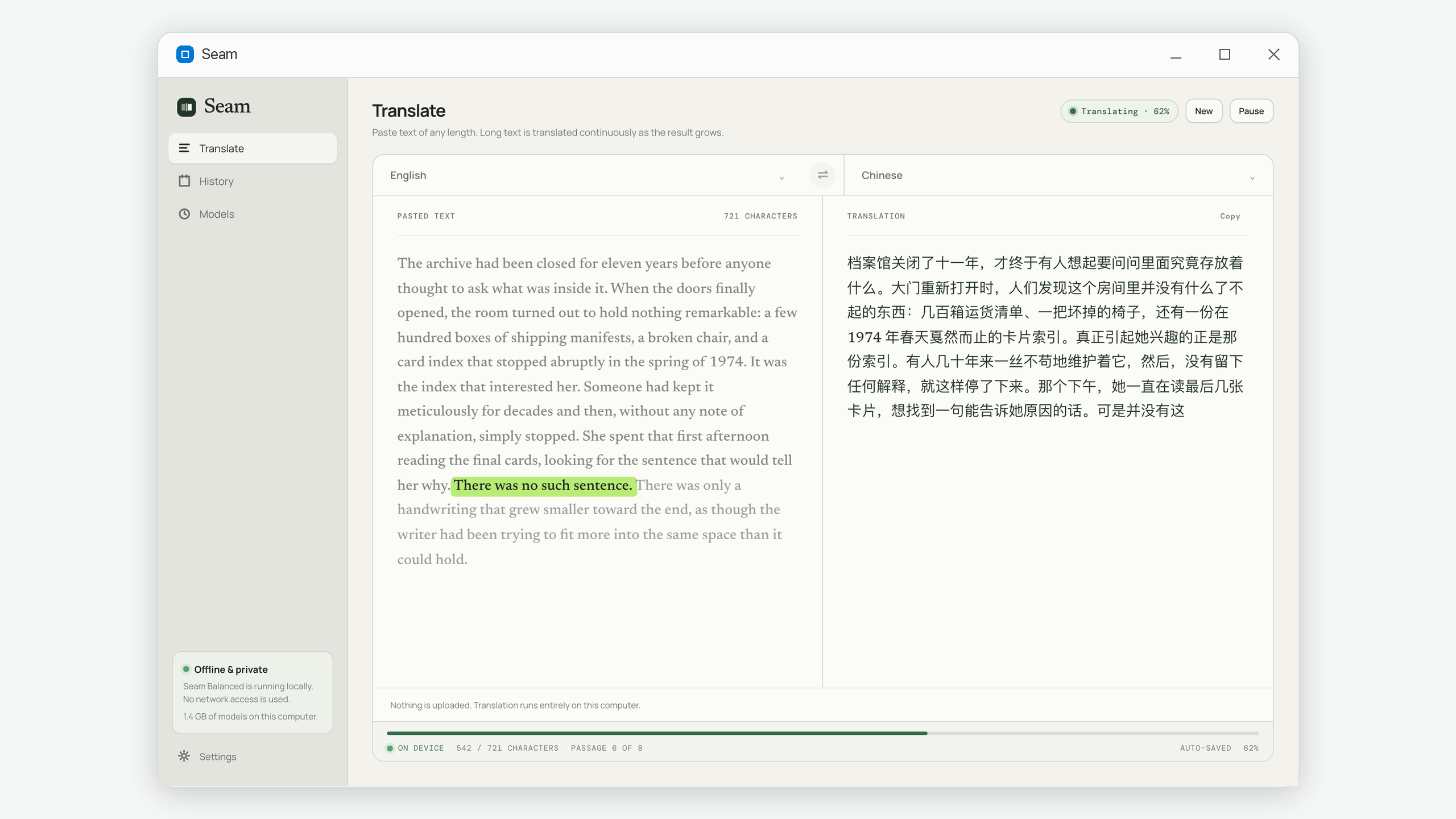
It supports 23 languages in either direction, and it passes the disconnection test above — which you are welcome to run on it, and should.
Common questions
Is offline translation worse than online?
On a phone language pack, yes, noticeably — those are heavily compressed to fit. On a desktop model, the gap is small enough that for comprehension and drafting most people would not reliably identify which was which.
Do I need a graphics card?
No. Translation models of this size run on an ordinary processor. A GPU makes it faster and changes nothing about the output.
How much disk space does this take?
One to two gigabytes per model. You can install more than one and switch between them, or remove one you are not using.
Will the model become out of date?
It will not degrade — it is a file, and it does not expire. Newer models will be better, and you can download one when they exist. Nothing stops working in the meantime, which is exactly the point of a local tool.
Can I use offline translation on a work computer?
Often yes, and it is frequently the sanctioned option precisely because nothing is transmitted. Check with your IT policy first — many organisations now block external translation sites while permitting local tools.
Seam is an offline desktop translator for Windows: any length, no upload, no account. Get it on the Microsoft Store.